How do I change my timezone?

Go to your profile by clicking on the icon at the top right corner of the screen.

Then, go to the Settings section. There is a drop-down list on this page with your timezone. Select the one you want, and then make sure to scroll down and click on Save Changes
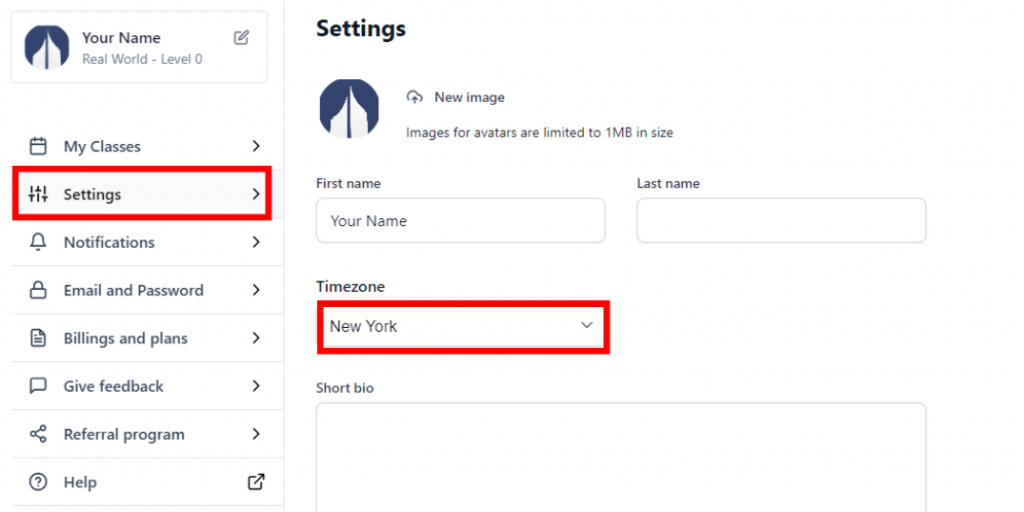
 

A computer interface showing a settings menu with options including 'My Classes,' 'Notifications,' and 'Email and Password.' The 'Settings' section is highlighted, displaying fields for 'First name,' 'Last name,' and a dropdown for 'Timezone' with 'New York' selected.

Did this solve your problem?

Yep, thanks!/Not really